LibreTube YouTube Client APK Download v for Android
| Developer | LibreTube |
| Updated | August 2026 |
| Size | 9 MB |
| Version | 32.1 |
| Requirements | Android 8.0+ |
Description
If you want a real libretube apk download, you have come to the right place. LibreTube is a free, open-source YouTube frontend for Android that lets you watch YouTube without a Google account, without ads, and without any tracking. Instead of talking to Google’s servers directly, LibreTube pulls its data through the privacy-friendly Piped API, so your watch history and subscriptions stay on your phone and nobody builds an advertising profile around them. The official Android build comes straight from the project’s GitHub releases page, it is only about 9 MB in size, and installing it takes less than two minutes. In this guide you will find the verified download link, a full breakdown of the app’s features, an honest comparison with the alternatives, and a step-by-step installation walkthrough.
| App Name | LibreTube |
|---|---|
| Status | Active & Updated |
| Version | 32.1 |
| Size | 9 MB |
| Developer | LibreTube |
| Category | Media & Video |
| License | Free & Open Source (GPL-3.0) |
| Rating Average | — |
| Number of Votes | — |
| Downloads | — |
| Requires | Android 8.0+ |
| Updated | August 2026 |
What Makes LibreTube Different
Most YouTube clients on Android are either the official app — which is full of ads, trackers and Shorts you never asked for — or modified forks that need constant patching to keep working. LibreTube takes a different route entirely. It is a native Android app written from scratch, and it never talks to Google’s private YouTube APIs at all. Everything it shows you — trending videos, search results, channel pages, comments — arrives through the open Piped API, a community-run alternative backend for YouTube data.
That one architectural choice changes everything. Because no Google account is required, there is no login wall, no “sign in to continue” nagging, and no viewing history being synced to a server you do not control. Your subscriptions live in a local database on your device, or optionally in your own Piped account if you run a private Piped instance. Playback itself is fast and modern, with background play, picture-in-picture, and SponsorBlock baked in — the feature that automatically skips sponsor reads, intros, and subscription reminders inside videos. And because the project is fully open source under GPL-3.0, anyone can read the code, verify there is no tracking, and contribute fixes. For a ~9 MB app, it is one of the most complete privacy-first ways to watch YouTube on Android today.
Key Features Explained
1. YouTube without an account or ads. LibreTube needs no Google account at all. Open it and you can immediately search, browse trending, and watch — with zero ads before, during or after videos. Your subscriptions are stored locally on your phone, so following channels never means handing your viewing habits to an ad company.
2. SponsorBlock integration. This is the feature that ruins the official app for you forever. SponsorBlock is a community database of timestamps marking sponsored segments, intros, outros, subscription reminders and interaction prompts. LibreTube reads it automatically and skips or mutes those parts for you — the video simply flows past the ad read as if it were never there. You can customize which categories get skipped, from hard skips to a subtle toast notification.
3. Background playback and picture-in-picture. Music videos, podcasts and long interviews keep playing when you switch apps or lock your screen. Pop the video into a floating window and answer messages while it plays. The official YouTube app locks these conveniences behind a paid Premium subscription — LibreTube gives them to you for free.
4. Offline downloads. Save videos and audio tracks directly to your device for commutes, flights or spotty connections. Downloads are organized in a built-in download manager with quality selection, so you control exactly how much storage each video takes.
5. Local playlists and watch history. Create playlists, mark videos to watch later, and keep a private watch history — all stored in an on-device database. Nothing is uploaded, nothing is analyzed, and you can export or delete it at any time.
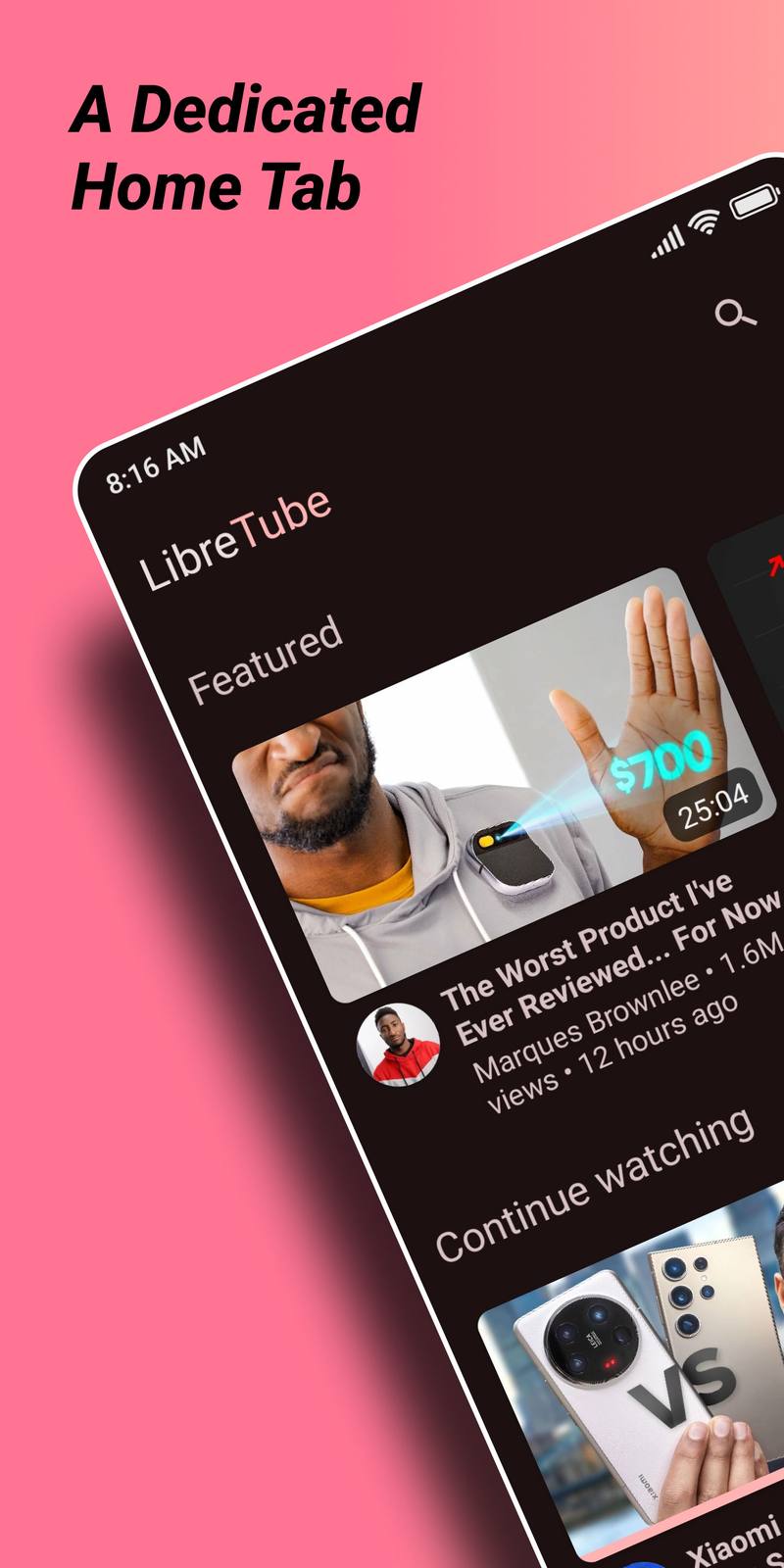
6. A modern, customizable interface. LibreTube’s interface follows modern Android design with full dark and AMOLED black themes. You choose the default tab, hide tabs you never use, pick your preferred video and audio quality defaults, and fine-tune the player — playback speed memory per video, swipe gestures for brightness and volume, and double-tap seek intervals.
7. Multi-instance support and Piped sync. If you run your own Piped instance — on a home server or a small VPS — LibreTube can connect to it, syncing your subscriptions, playlists and watch progress across devices while keeping everything under your control. This is self-hosted YouTube without Google, end to end.
8. Tiny, fast and fully open source. The APK is about 9 MB — a fraction of the official app’s size. It starts fast, uses little RAM, and the entire codebase is public on GitHub under GPL-3.0. Independent developers audit it, forks exist if development ever stalls, and there is no company that can quietly insert ads or tracking in a future update.
LibreTube vs the Alternatives — An Honest Comparison
The obvious comparison is with NewPipe, the other big open-source YouTube client. NewPipe extracts data directly from YouTube’s pages on your device, which means it works even when Piped instances are having a bad day — but it also means every request comes from your IP address, and extraction occasionally breaks when YouTube changes its site. LibreTube’s Piped-based approach is lighter on your battery and bandwidth, and its interface feels more modern, but it depends on the health of Piped instances — if your chosen instance goes down, you switch instances in settings rather than waiting for an app update.
Against the official YouTube app, the trade-off is clear: you lose YouTube Premium’s server-side features like your Google watch history sync, purchased movies and channel memberships, and there is no casting to a Chromecast with full queue support. In exchange you gain zero ads, background play, downloads and total privacy — for free, in a 9 MB package. If you already read this site’s NewPipe guide, LibreTube is worth trying side by side: many privacy-minded users keep both installed and use whichever feels faster that day.

Download LibreTube for Android
Always download LibreTube from the official sources only: the project’s website at libretube.dev or its GitHub releases page. The current version is 32.1, released in August 2026. Avoid third-party APK mirrors — unofficial copies can be bundled with adware or outdated builds that break when YouTube changes something.
How to Install the APK
1. Download the APK. Tap the download button above (or visit libretube.dev) and grab the latest app-release.apk. It is only about 9 MB.
2. Allow installs from unknown sources. When you open the downloaded file, Android will ask for permission to install apps from your browser or file manager. Tap “Allow” — this is a one-time permission for that app, and you can revoke it afterwards.
3. Install and open. Tap Install, wait a few seconds, then open LibreTube. No account needed — optionally import your subscriptions from YouTube (via a Google Takeout file) or from NewPipe, pick a Piped instance, and start watching.
Tips and Tricks
Pick your Piped instance wisely: in Settings → Instance you can switch to the fastest or most reliable instance, which fixes most “videos not loading” issues instantly. Turn on the AMOLED black theme if your phone has an OLED screen — it looks great and saves battery. And if you are migrating from the official app, use YouTube’s Google Takeout to export your subscriptions, then import them into LibreTube in one tap instead of re-subscribing channel by channel.
Frequently Asked Questions
Is LibreTube safe to install?
Yes. LibreTube is fully open source (GPL-3.0), its code is public on GitHub, and the official APK is built by the project’s own automation. As long as you download from libretube.dev or the official GitHub releases page, you are getting the genuine app with no modifications.
Do I need a Google account to use LibreTube?
No. That is one of its main advantages — LibreTube works entirely without a Google account. Subscriptions, playlists and history are stored locally on your device, or synced to your own Piped instance if you set one up.
Why is LibreTube not on the Google Play Store?
Apps that provide an ad-free YouTube experience conflict with Google’s Play Store policies, so LibreTube is distributed through its official website, GitHub releases and F-Droid instead. This is normal for privacy-focused YouTube clients and is not a sign of anything suspicious.
What is the difference between LibreTube and NewPipe?
Both are free, open-source YouTube frontends. LibreTube fetches data through the Piped API (lighter on your device, modern interface), while NewPipe extracts data directly from YouTube on your phone (works without third-party servers). Many users keep both installed.
Videos are not loading in LibreTube — how do I fix it?
In almost every case the Piped instance you are connected to is overloaded or down. Go to Settings → Instance and switch to a different public instance, or run your own. The app itself rarely needs an update for this.
Is LibreTube really free?
Completely. There is no premium tier, no ads, no in-app purchases and no feature paywall. The project is maintained by volunteers and funded by donations.
Final Verdict
LibreTube is one of the best ways to watch YouTube on Android if you value privacy and hate ads. The libretube apk download gives you a tiny 9 MB app with no account requirement, automatic sponsor skipping, background playback and offline downloads — features the official app charges a monthly fee for. Its dependence on Piped instances is the one real weakness, but switching instances takes ten seconds. If you want YouTube without Google watching you watch YouTube, LibreTube deserves a spot on your home screen.