Element Messenger APK Download v for Android
| Developer | Element |
| Updated | October 2026 |
| Size | 71 MB (arm64 build) |
| Version | 1.6.66 |
| Requirements | Android 5.0 and up |
| Downloads | 1M+ |
Description
If you’re looking for the element messenger apk download, you’re probably after something WhatsApp and Telegram can’t give you: a messaging app where no single company owns the network. Element is the flagship messenger for the Matrix network — the open, decentralized standard for encrypted communication. Every conversation is end-to-end encrypted, you can talk to anyone across the Matrix network from one app, and if you want, you can even run your own server. Here’s everything you need to know, including the official download link and a simple install guide.
Element Messenger App Info
| App Name | Element Messenger |
| Status | Active & Updated |
| Version | 1.6.66 |
| Size | 71 MB (arm64 build) |
| Developer | Element (New Vector Ltd.) |
| Category | Communication |
| License | Free, open source (Apache-2.0) |
| Rating Average | 3.3/5 |
| Number of Votes | 7,630+ |
| Downloads | 1M+ (Google Play) |
| Requires | Android 5.0 and up |
| Updated | October 2026 |

What Makes Element Messenger Different
Almost every popular messenger works the same way: one company runs the servers, controls the rules, and holds your data. WhatsApp belongs to Meta, Telegram runs its own cloud, Signal runs its own servers. Element works differently because it isn’t a walled garden at all — it’s an app for Matrix, an open communication standard, much like email.
Think of Matrix the way you think of email. You can have a Gmail account and email someone on Outlook without either of you leaving your app. Matrix does the same thing for instant messaging: your account can live on any Matrix server (called a “homeserver”), and you can chat with anyone on the network no matter which server they’re on. Element is the most polished app for this network, and it’s developed by the same team that helped create Matrix itself.
What does that mean in practice? Nobody can buy Element and lock you in. If a server goes down or changes its rules, your account can move. Communities can run their own servers and keep their data on their own hardware. Governments and companies already do exactly this — the German and French governments use Matrix-based infrastructure, and so do thousands of open-source projects, gaming communities, and privacy-conscious teams. On your phone, all of this complexity stays hidden: you open the app, you message people, and everything just works.
Key Features Explained
1. End-to-end encryption by default
Private conversations in Element are end-to-end encrypted using the Olm and Megolm protocols — the same cryptography family that Signal’s protocol belongs to. Your messages are encrypted on your device and can only be read by you and the person you’re talking to. Not Element’s developers, not your homeserver’s operator, not anyone in between. Verification is transparent: each device gets safety keys you can compare with your contact, and the app warns you clearly if something changes.
2. One app, the entire Matrix network
Your Element account works across the whole Matrix ecosystem. Message friends on the default matrix.org server, join public rooms from other servers, or add a second account from a completely different homeserver — including your own. It genuinely feels like one network, the way email feels like one network, instead of the dozen isolated chat apps most of us juggle.
3. Huge public communities and Spaces
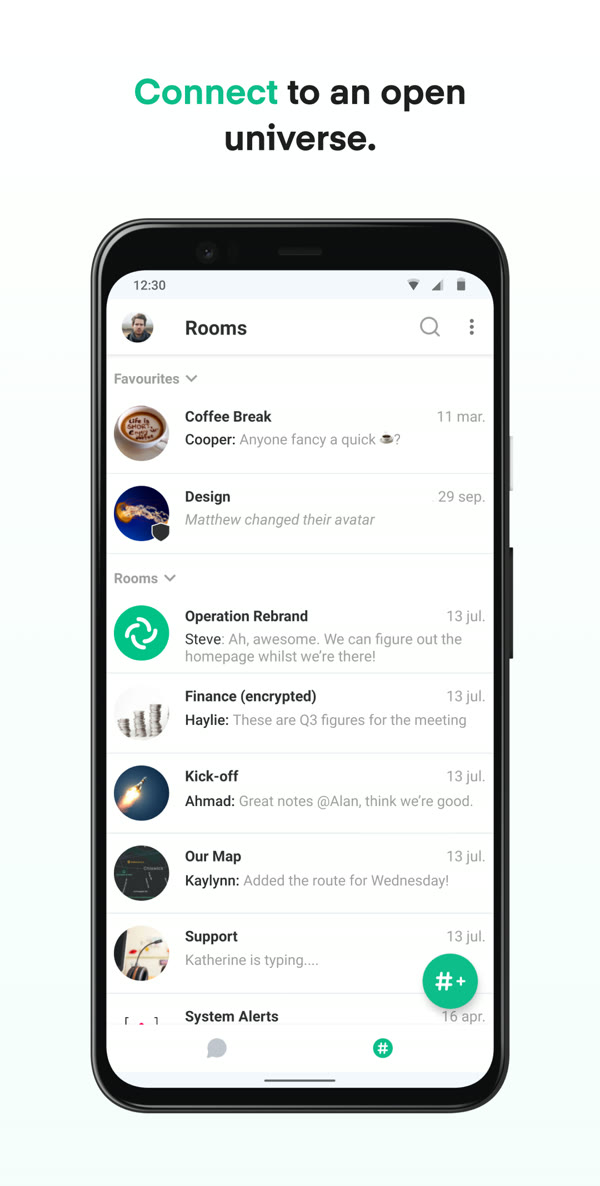
Beyond one-to-one chats, Element shines for groups. Public Matrix rooms host everything from open-source project discussions to gaming clans, study groups, and local meetups — thousands of people in some cases. Spaces let you organize related rooms under one roof, like a Discord server but decentralized. Moderation tools are solid: room admins control invites, power levels, and bans.
4. Voice and video calls, plus screen sharing
Element handles voice calls, one-to-one video calls, and group video rooms through Matrix’s built-in calling. It covers the everyday needs — calls are encrypted too — and screen sharing works for those “let me show you what’s on my screen” moments. It’s not trying to be Zoom, but for team check-ins and calls with friends, it’s genuinely reliable.
5. Bridges to WhatsApp, Telegram, Discord and more
This is a clever one: Matrix bridges let you connect Element to other networks, so messages from WhatsApp, Telegram, or Discord can appear inside Element. You still need accounts on those networks, and bridges are usually run by a homeserver operator rather than the app itself, but for people trying to consolidate their chats into one place, this is a genuinely unique trick no mainstream messenger offers.
6. Run your own server — or don’t
You never have to run anything yourself; the default matrix.org account setup takes seconds. But the option is there, and it’s what makes Matrix special: families, companies, and communities can run the Synapse server software on their own hardware and keep every message under their own roof. Even then, they can still talk to everyone else on the network. No other major messenger gives you that escape hatch.
7. Cross-device sync that actually works
Because your account lives on a server (yours or someone else’s), your message history syncs across your phone, desktop, and the web app automatically. The encryption keys sync securely between your own verified devices. Switching phones is painless compared to messengers that tie everything to one device’s local storage.
8. Free and open source, audited and transparent
Element’s Android app is fully open source under the Apache-2.0 license — anyone can read the code, and independent security audits have been published. There are no ads, no tracking SDKs phoning home, and no premium tier locking features away. The company behind it, New Vector Ltd., makes money from hosting and enterprise services, not from your data.
Element vs the Big Messengers: An Honest Comparison
Let’s be honest about where Element wins and where it doesn’t — because the right messenger depends on what you care about.
Element vs Signal: Both are open source with strong encryption, and Signal is simpler to set up — your phone number is your identity, and everything is streamlined. But Signal is still centralized: one non-profit runs the whole network, and you’re locked into their servers. Element gives you decentralization and server choice at the cost of a slightly busier interface. If you want maximum simplicity, Signal wins; if you want no single point of control, Element wins. (We covered Signal in detail in our Signal APK download post — worth reading if encrypted messaging is your priority.)
Element vs Telegram: Telegram feels faster and has the biggest feature set for casual chat — but its regular chats are NOT end-to-end encrypted (only opt-in “Secret Chats” are, and those don’t sync). Element encrypts private conversations by default and is open source throughout, while Telegram’s server code is closed. Telegram wins on polish and network size; Element wins on actual privacy architecture.
Element vs WhatsApp: WhatsApp has everyone you know and solid default encryption — but it’s owned by Meta, tied to your phone number, and you have zero control over the infrastructure. Element is the choice when you want to step outside Big Tech’s orbit entirely: no phone number required (a username works), no Meta, and the option to self-host. The trade-off is real, though — your friends probably aren’t on Matrix yet, so you’ll be doing some convincing.
The honest downsides: Element’s 3.3-star Play rating reflects real friction — occasional sync delays, encryption key management that can confuse newcomers (“unable to decrypt” messages when devices change), and a smaller user base. The Matrix network’s federation can also be slower than centralized services. Element is the most principled choice, not the most frictionless one — but each release keeps closing that gap, and v1.6.66 is the most polished the Android app has been.
Download Element Messenger for Android
Always download Element from the official source. The developer’s official download page links to the Play Store listing and other official builds — never use random APK mirror sites, where tampered builds are a real risk.
How to Install the APK
- Download the APK from the official page above (or the Play Store listing it links to). The arm64 build is about 71 MB.
- Allow installs from your browser. When you open the downloaded file, Android will ask for a one-time “Install unknown apps” permission for your browser — grant it. This is a standard Android security step, not a warning about the file.
- Open the APK and install. Tap Install, wait a few seconds, then open Element and create your free Matrix account (or sign in to an existing one). You’ll be chatting in under a minute.
Tips and Tricks
Verify your devices: after signing in on a second device, verify it from your phone to stop “unable to decrypt” warnings. Use Spaces to group related rooms into one sidebar entry. If public matrix.org feels slow, try a community homeserver — many are faster and free. And enable the in-app backup of your encryption keys so a lost phone never locks you out of your history.
Frequently Asked Questions
Yes. The Element Android app is completely free with no ads and no premium tier. It’s open source under the Apache-2.0 license. The company behind it, New Vector Ltd., earns money from enterprise hosting and services — not from selling your data or locking features behind a paywall.
Matrix is the open communication standard — the decentralized network itself, like email’s protocols. Element is the flagship app built for that network, developed by the team that created Matrix. You can use other Matrix apps (like FluffyChat or Cinny) with the same account, and you can talk to anyone on Matrix from Element no matter which app or server they use.
No. Unlike WhatsApp or Signal, Element identifies you by a Matrix username (like @you:matrix.org), not a phone number. You can sign up with just an email address — or no email at all on some homeservers. This makes it a good choice if you want to keep your phone number private.
Private one-to-one and group conversations are end-to-end encrypted by default using the Olm and Megolm protocols. Only you and the people you’re chatting with can read them — not Element, not your server’s operator. Large public rooms may be unencrypted by design so anyone can join and read the history, and the app clearly labels encryption status in every room.
Element v1.6.66 needs Android 5.0 or newer. The official arm64 APK build is about 71 MB. The app runs on most phones from the last decade, which makes it one of the more accessible privacy-focused messengers for older devices.
Yes — element.io/download is the developer’s own official download page, linking to the genuine Play Store listing and official builds. It’s just as safe as the Play Store, and it’s the recommended option if you don’t have Play Services or prefer to sideload. Just make sure the URL is the real element.io domain and avoid third-party APK mirrors, where modified builds circulate.
Final Verdict
Element is the messenger for people who think about who controls their communication. No other major chat app gives you end-to-end encryption, an open decentralized network, no phone number requirement, and the option to run your own server — all free and open source. The price is a smaller network and occasional rough edges, reflected in its modest Play rating. But if you value independence from Big Tech more than having every contact already installed, Element v1.6.66 is the most mature the Android app has ever been. Download it from the official link above and give Matrix a week — you might not go back.